Free technical support with guaranteed LifeApe engineer response.
3 Axis Skull by Halloween Skulls
Complete 3 Axis Skull with 2 Axis lighted eyes fully assembled with DMX controller
All Skulls purchased through LifeApe qualify for a 50% discount off there next MonkeyBasic Software purchase (Good for one future order per customer).
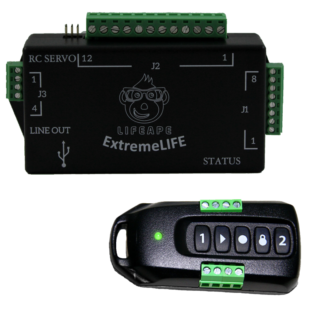
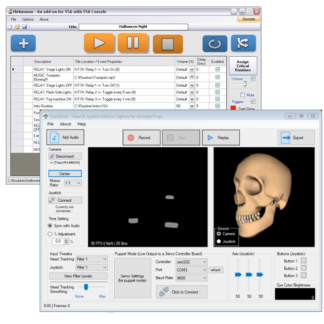
The ExtremeLIFE controller can handle any animatronic challenge. This fully featured controller is software programmable using the free LifeApe SceneBuilder. Create simple or complex scenes with ease.
We use cookies on our website to give you the most relevant experience by remembering your preferences and repeat visits. By clicking “Accept All”, you consent to the use of ALL the cookies. However, you may visit "Cookie Settings" to provide a controlled consent.
This website uses cookies to improve your experience while you navigate through the website. Out of these, the cookies that are categorized as necessary are stored on your browser as they are essential for the working of basic functionalities of the website. We also use third-party cookies that help us analyze and understand how you use this website. These cookies will be stored in your browser only with your consent. You also have the option to opt-out of these cookies. But opting out of some of these cookies may affect your browsing experience.
Necessary cookies are absolutely essential for the website to function properly. This category only includes cookies that ensures basic functionalities and security features of the website. These cookies do not store any personal information.
Any cookies that may not be particularly necessary for the website to function and is used specifically to collect user personal data via analytics, ads, other embedded contents are termed as non-necessary cookies. It is mandatory to procure user consent prior to running these cookies on your website.